Changelog vs Release Notes: What's the Difference? | Announcify
Changelog Basics6 min read
Changelog vs Release Notes: What's the Difference?
Jun 29, 2026
Ahmed Errami
Most founders use "changelog" and "release notes" interchangeably. And honestly? For a solo project in early days, it barely matters. But as soon as you have real users — especially users who rely on your product daily, the distinction starts to matter a lot.
Get it wrong and you either overwhelm your users with technical noise they don't care about, or you leave your team with no reliable record of what actually changed and when.
This post breaks down the real difference between a changelog and release notes, when to use each one, and how to manage both without it becoming a second full-time job.
Quick Answer
If you just need the short version:
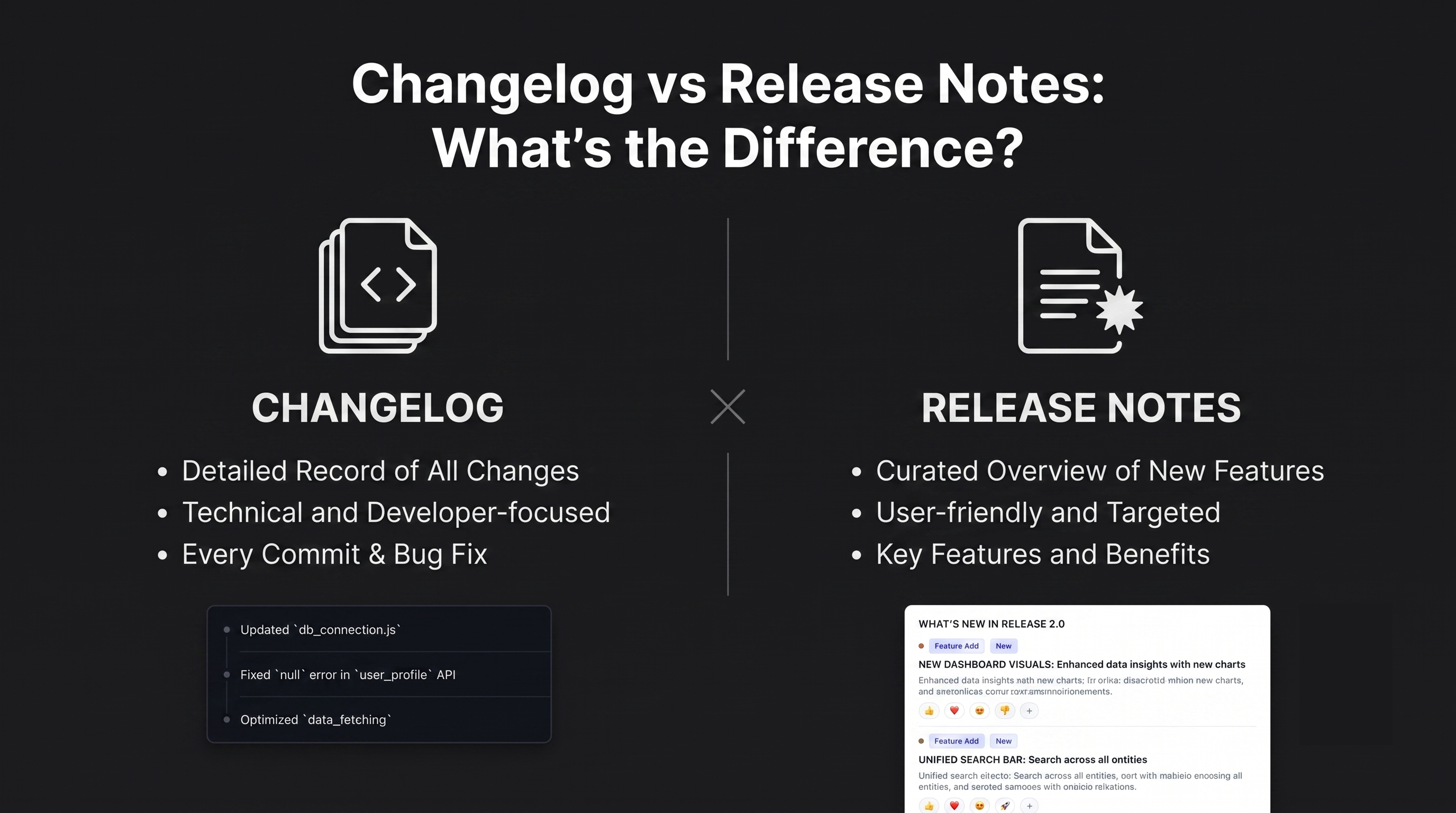
A changelog is a running, technical record of every change made to your product — for your team, developers, and power users.
Release notes are user-facing announcements tied to a specific update or version — written in plain language for the people using your product.
They serve different audiences, use different formats, and have different jobs. Most SaaS products need both, but they don't have to be separate documents.
What Is a Changelog?
A changelog is the complete history of your product's changes, organized reverse-chronologically. It's cumulative — every fix, feature, tweak, and removal gets logged. Nothing gets left out.
## 2025-07-14

### Added
- Linear integration: auto-generate changelog entries from closed issues

### Fixed
- Widget badge count not resetting after user reads updates

### Changed
- Default font size in embedded widget increased from 13px to 14px
The format is standardized, the language is technical, and the goal is accuracy — not readability. The person reading your changelog wants specifics: what changed, in what version, on what date.
Who reads it:
Developers troubleshooting a regression
Power users tracking a specific fix they requested
Your own team auditing what shipped last sprint
Open-source contributors checking if a PR was merged
Where it lives:
Typically a public /changelog page, a GitHub CHANGELOG.md, or an embedded widget in your app.
What Are Release Notes?
Release notes are user-facing announcements that go out when you ship something meaningful. They don't try to log everything — they highlight what matters to the people actually using your product.
A typical release note looks more like this:
July 2025 Update
Linear Integration is here 🎉
You can now connect your Linear workspace and auto-generate changelog entries whenever you close an issue. No more copy-pasting from Slack or Notion.
Widget improvements
The unread badge now resets properly after a user opens the panel — a small fix with a big UX payoff.
The tone is conversational. The structure is flexible. The goal isn't completeness — it's clarity and engagement.
Who reads it:
Regular users who want to know what's new
Customers who reported a bug and want to know if it's fixed
Prospects evaluating your product's development pace
Your sales and support team prepping for customer conversations
Where it lives:
An in-app widget, an email digest, a "What's New" page, or a dedicated blog section.
Key Differences: Side by Side
Key Differences: Side by Side
Changelog
Release Notes
Audience
Developers, power users, your team
All users, customers, stakeholders
Tone
Technical, precise
Plain language, benefit-focused
Scope
Every change, no exceptions
Only user-relevant highlights
Format
Structured list (version + date + category)
Narrative, announcement, or newsletter style
Frequency
Updated continuously
Published per release or sprint
Goal
Accurate historical record
User engagement and adoption
Distribution
On-demand (users go looking for it)
Pushed (widget, email, banner)
The Audience Difference Is Everything
The easiest way to remember the distinction: a changelog is pulled, release notes are pushed.
Nobody gets notified when you update your changelog. Developers and power users go looking for it when they need it. It's a reference document.
Release notes, by contrast, are delivered. You push them via an in-app notification, an email, or a badge on your widget. The goal is to interrupt users just enough to make sure they notice something useful changed.
That difference in delivery model shapes everything else — the tone, the length, the format, and how much technical detail belongs in each.
When to Use a Changelog
Use a changelog when:
You need a reliable record of what shipped and when — useful for debugging, audits, and support tickets
You're working on an open-source project and contributors need to track changes
You have power users or developers who integrate with your product and need to know about API or behavior changes
Your team keeps asking "wait, when did we change that?" in Slack
A changelog is also your internal insurance policy. When something breaks, it's the first place you look.
When to Use Release Notes
Use release notes when:
You want to actually drive adoption of a new feature you shipped
You've fixed something users complained about and want them to know
You're using product updates as a retention and engagement tool
Your support team needs something to point customers to when they ask "what's new?"
Release notes are also a subtle trust signal. A prospects who finds your changelog and sees regular, well-written updates thinks: these people are actively building, they listen to users, and they're not going anywhere.
Do You Need Both?
For most indie SaaS products: yes, but they can share the same source.
The most efficient approach is to write one update — with the technical details — and then derive the release note from it. Your changelog entry is the raw material. Your release note is the edited, human-readable version of the same event.
Concretely:
You ship a feature.
You log it in your changelog with full technical detail.
You write a short, benefit-focused release note from that entry.
You push the release note through your widget or email.
The changelog stays as the reference record.
This way you're not maintaining two separate systems or writing everything twice. You're just writing one thing at two levels of detail.
Common Mistakes to Avoid
Mistake 1: Using your git commit history as a changelog
Commit messages like fix: null check on widget init mean nothing to users and very little to non-engineering teammates. A real changelog takes one extra step to translate commits into human context.
Mistake 2: Writing release notes that read like changelogs
"Fixed bug in auth middleware" is a changelog entry. A release note should say "Fixed an issue where some users were unexpectedly logged out after 10 minutes." Same fix, different frame.
Mistake 3: Only publishing release notes and skipping the changelog
Release notes are great for engagement, but they don't substitute for an accurate history. If you only have polished announcements and no running record, you lose the operational value of knowing exactly what changed.
Mistake 4: Publishing neither
This one's the most common. Updates ship in silence, users don't know what's new, trust erodes slowly, and you miss a free retention and marketing lever.
How Announcify Handles Both
Announcify is built around the release notes side of this equation — specifically the in-app widget that surfaces updates where users already are, without making them visit a separate page.
Here's how it fits the workflow above:
You write an update in Announcify's editor (or auto-generate one from a closed Linear issue)
It gets published to your embedded changelog widget with an unread badge
Users see a notification, click, and read your release note in-context
The full archive of updates becomes your running changelog, visible to anyone who visits
You get the user engagement of release notes and the historical record of a changelog — without context-switching between tools.
Changelogs and release notes solve different problems. A changelog is a complete, technical history for your team and power users. Release notes are curated, user-friendly announcements that drive engagement and trust.
For most SaaS products, the answer isn't choosing one — it's building a lightweight workflow that produces both from the same source, with minimal extra effort.
The teams that get this right treat product updates not as a chore, but as one of the cheapest and most effective ways to retain users and show momentum.
Ahmed Errami
I'm a full stack developer who is passionate about building products that help people. I'm also the founder of Announcify.
Product Updates
Sep 5, 20268 min read
Best AI Release Notes Generators
Manually writing release notes after every deployment takes time. Here are the best AI release notes generators for turning your development workflow into clear, customer-friendly product updates.
 Ahmed Errami